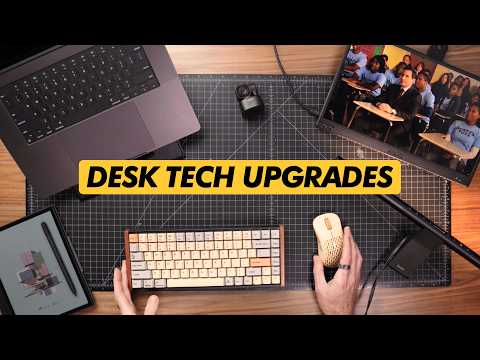
In today’s video we’ve got a roundup of some of the best tech accessories and upgrades for your home office and desk for 2024. Huge thanks to @OBSBOT for sponsoring this week’s video, check out the Tiny 2 Lite Webcam here:
• Direct:
• Amazon:
• Use discount code “OBSBOTAUT” for a discount on Amazon or Obsbot’s official website (Valid through December 31st 2024)
Items Mentioned:
———————-
BenQ Screenbar Pro –
Amazon:
Direct:
(ALT) Untested Budget Option:
MOFT Folding Sit-Stand Desk –
Amazon:
Keychron K2 HE Mechanical Keyboard –
Kickstarter:
Keychron Custom Wheat Gray Keycaps –
Direct:
Pulsar XLite V2 Mini Retro Edition –
Amazon:
BOOX Note Air 3C ePaper Tablet –
Amazon:
BOOX Palma ePaper Tablet –
Amazon:
ASUS Zenscreen MB166CR Portable Monitor –
Amazon:
Cyberpower CP1500PFCLCD UPS System –
Amazon:
———————-
BOOX Note Air 3C Illustrator Review:
BOOX Palma MKBHD Video:
———————-
0:00 Intro
0:11 Monitor Light Bar
2:14 Portable Sit-Stand Desk
3:42 OBSBOT Tiny 2 Lite Webcam (Sponsor)
6:05 Hall Effect Mechanical Keyboard
8:05 Color ePaper Android Tablet
12:25 Budget Portable Monitor
14:41 UPS Power System
17:29 Final Thoughts & Schedule Update
———————-
What I’m Wearing –
• Taylor Stitch Ledge Shirt:
• Flint & Tinder Vintage Slub Pocket Tee:
• Flint & Tinder All-American Stretch Denim:
• Arcade Futureweave Belt:
• Katin “Mental Vacation” Relax Snapback Hat:
• VERO Forest Service “Hotshot” 39mm Watch:
———————-
CONNECT:
• Website:
• TikTok:
• Instagram:
• Twitter:
• Snapchat:
• Monthly Newsletter:
MAILING ADDRESS:
Josh Fenn
2017 NW Vaughn St # 29085
Portland, OR 97296
DISCLAIMER: This video description contains affiliate links which may provide a small commission to me after clicking through and completing a purchase.
#homeoffice #desksetup #deskaccessories #obsbot #obsbot_tiny2lite
After looking up the boox note I was floored by the price. You can get an amazing pad that does everything for that price. I think the Boox are meant for people who use smart watches and realize they have a smart phone a foot away
awesome sharing!
I will never understand monitor light bars. I rather have ambient light behind the monitor than in front of it. The glare and contrast just don’t do it for me. What are the benefits?
For those unaware (I’m aware many of us will already know this), it’s particular important to add a note about quantifying the battery autonomy of the UPS. The runtime is obviously dependent on the load you put on the UPS but I’d imagine in these applications you’ll be running at least half-load, maybe closer to full-load, so you’ll only ever get single-digit minutes worth of autonomy. For example, if you’re running close to full load expect about 5 minutes or less of runtime – this is why it’s important to treat UPS as a very short-term method of backup power allowing safe-shutdown or to bridge the gap between transfer to longer-term method of backup power for those who both have it and need the PC to continue running for whatever reason.
all setup videos look like a 80s TV shopping channel… with the same products everywhere… you saw one, you saw all…